Choose the smallest change that makes the video usable
Use translated subtitles when viewers can comfortably read while watching and the original visuals still make sense. Consider dubbing when listening is central or reading competes with a demonstration. Commission a localised edit when the examples, interface, units, claims or on-screen text need to change as well. Translation and localisation are not the same purchase.
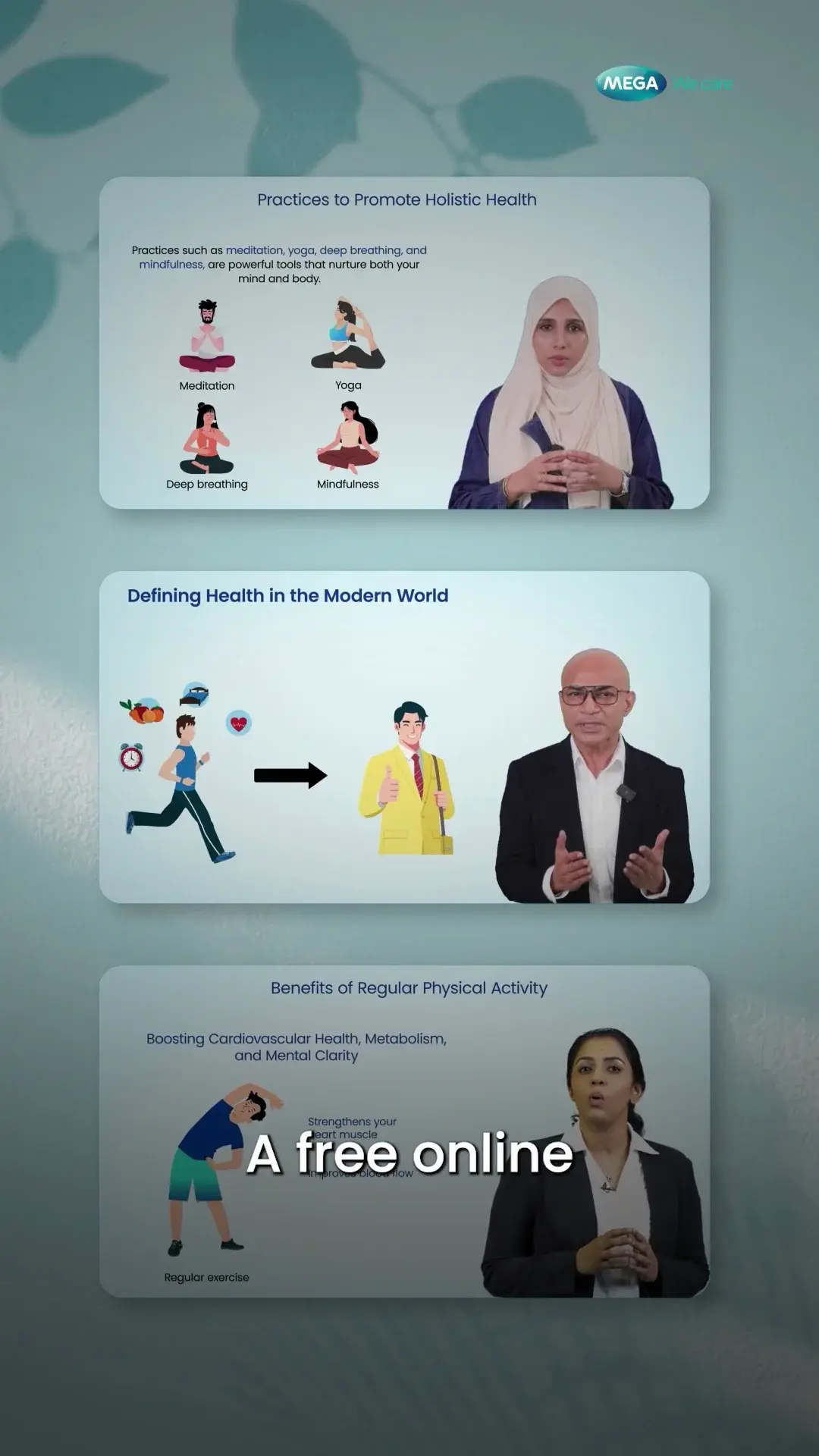
The framework below is an FDM production recommendation, not a claim that we have delivered a particular multilingual programme. Our health education work provides an example of expert-led and captioned content. Any new language version needs its own qualified review.
When subtitles are enough
Subtitles can preserve the original speaker’s voice while making their words available in another language. They are a practical starting point when the screen is relatively uncluttered and the audience is comfortable reading. They are less helpful when the viewer must simultaneously read a detailed chart or follow a fast interface action.
Do not treat a translated transcript as a finished subtitle file. Check timing, line breaks, terminology and how much appears at once. Watch on the intended device. A sentence that reads naturally in a document can be difficult to follow in two short lines over moving footage.
Accessibility is a separate requirement. Captions may need relevant non-speech sound information as well as speech. W3C’s media guidance also covers transcripts and essential visual information. A translation track by itself does not settle all of those needs.
What dubbing fixes, and what it does not
Dubbing removes the need to read every spoken sentence. It can help when the visual task deserves the viewer’s full attention. But it does not translate a button label, a chart legend or a qualification burned into the picture. Budget for those elements separately.
YouTube supports additional audio tracks on eligible channels, allowing language versions to share a video rather than requiring separate uploads. Check the options available in the actual channel before planning distribution. Do not assume every platform or account supports the same workflow.
YouTube also warns that automatic dubbing can make errors with pronunciation, accents, jargon and proper nouns. Treat machine output as something to review, not proof of correctness. For healthcare or finance, have a qualified bilingual subject reviewer check the meaning and any important qualifications, not only whether the voice sounds natural.
Sources: YouTube Help: Add multi-language audio tracksYouTube Help: Use automatic dubbing
When the picture needs localisation too
Illustrative example: a software tutorial is dubbed into another language, but the target users see a translated interface. The voice names one control while the recording displays another. An approved terminology map may be enough, or the task may need to be recaptured in the relevant interface. Decide before recording the voice.
A localised edit can also require changed dates, currency conventions, examples, contact details or calls to action. These are not automatic substitutions. A different market may require a different approved claim or a different explanation. The client’s authorised reviewer should define those changes; the editor should not invent local equivalents.
Allow for text expansion and different spoken duration. Avoid locking every graphic to a tightly packed English sentence before the target language is reviewed. A flexible master gives the adaptation room to remain clear without squeezing the type or accelerating the voice.
Approve the language before the final export
Start with an approved master transcript and a glossary of product names, medical or financial terms, acronyms and pronunciations. Ask the translator to flag ambiguous source wording instead of silently choosing a meaning. Resolve those questions before recording or generating the final voice.
Then review in context: script against source, audio against script, and final video against both. A language reviewer needs to see the real playback, including on-screen labels and captions. Keep language, version and approval date in the asset register so a later master update does not leave an old translation circulating.
- Define audience, language variant and viewing device.
- Confirm permission to use any speaker likeness or cloned voice.
- Approve the glossary and translated script.
- Check visual text, captions, audio and CTA together.
- Record the reviewer and the master version used.
Ask for an adaptation scope, not a price per language alone
A useful quote separates translation, subject review, voice work, picture changes, caption delivery and final quality checks. Two languages can have very different adaptation needs even when the source duration is identical. Ask who handles corrections if the product terminology changes after approval.
If the audience is uncertain, begin with a representative video rather than translating the entire library. Test whether viewers can follow the task and whether the language feels appropriate. Use that feedback to refine the glossary and layout before multiplying the work. This is a risk-reduction approach, not a promise that localisation alone will create demand.
Sources and references
- Making audio and video media accessible · W3C · Checked 2026-09-10
- Add multi-language audio tracks · YouTube Help · Checked 2026-09-10
- Use automatic dubbing · YouTube Help · Checked 2026-09-10
- Mega We Care health education work · FDM · Checked 2026-09-10